Now available for Mac
InvurseChat
Private AI for work that stays on your Mac.
A local AI assistant for thinking, researching, writing and working with your files. The model runs on your own hardware, and nothing goes to a cloud chat service.
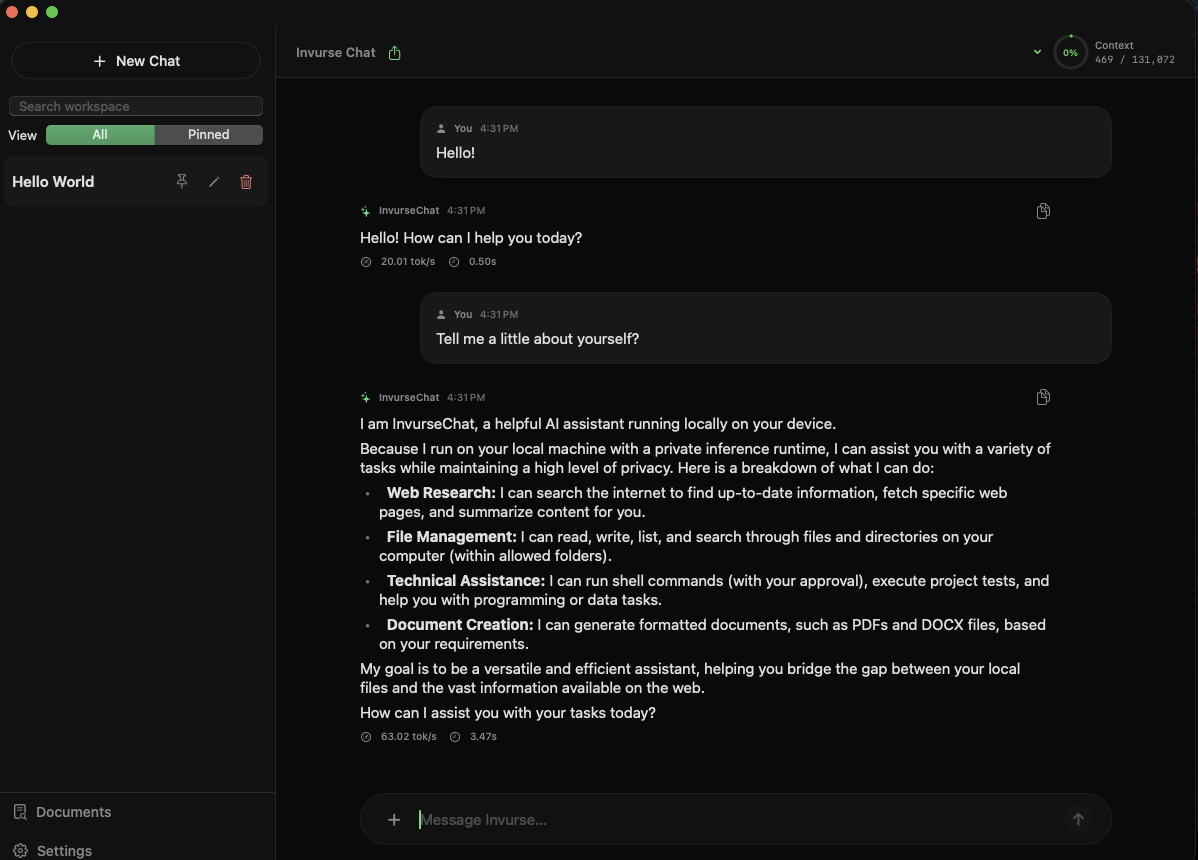
A real Mac app, not a browser tab.
Chat, document and image understanding, web research and careful agent tools, together in one native macOS app.
Chats that stay organized
Search your history, pin favourites, rename chats and sort them with tags and collections. Export any conversation to Markdown or PDF. Everything is saved on your Mac.
Work with your files and images
Attach images, PDFs, text files, CSVs and Word documents, then ask questions about them. InvurseChat remembers the attachment across follow-ups, so it suits research, review and document-heavy work.
Research and coding tools
Search the web and read source pages for current information. Inspect project files, review Git status and diffs, and run tests, builds and linters for Swift, Xcode, Python, Node and Make projects.
Approve before it acts
Nothing sensitive runs silently. You see the plan, each tool it uses and the results as they happen. Deleting, renaming or exporting files and running shell commands all wait for your OK.
how it works
Up and running in three steps.
1. Install InvurseChat.
Download the app and open it. It sets up everything it needs automatically.
2. Choose your model.
InvurseChat checks your Mac's memory and storage and recommends a model that fits. Models download once and are stored on your Mac.
3. Start working.
Chat, attach files, research and build, all running locally on Apple Silicon.
Built for privacy, control and real work
Most AI tools trade your control for their convenience. InvurseChat is built for people who want modern AI without giving up privacy, ownership or clarity.
- The AI model and everything it processes
- Your conversations and chat history
- Files and images you attach
- Your settings
- Model downloads: from Hugging Face during setup, or when you add a new model.
- Web research: only when you use it. Search queries go to DuckDuckGo by default; your conversation history does not.
- Update checks: the app checks GitHub for new releases.
- Companion apps: connect to your Mac over your local network, not through our servers.
We don't run cloud servers that see your chats, collect analytics, or train on your data.
Frequently Asked Questions
-
Any Mac with Apple Silicon (M1 or newer). 16 GB of memory is recommended; more memory lets you run larger, more capable models.
-
Yes. Once your model is downloaded, chat and file features work without an internet connection. Only web research needs to be online.
-
On your Mac. You can delete a conversation at any time,
-
Google's open Gemma models, run through Apple's MLX framework. Qwen 3.8 model support in the works
-
No. Deleting, renaming, exporting and shell commands that modify your system all require your approval.
-
0$. InvurseChat is availble to download and use for free.
Modern AI, rooted in your own machine.